Best AI Video Generators 2026: 8 Tested, 3 Worth Buying
We tested 8 AI video generators, including Veo 3.1, Kling 3.0, and Runway Gen-4.5. Only 3 are worth your money. Here is what works.
TL;DR
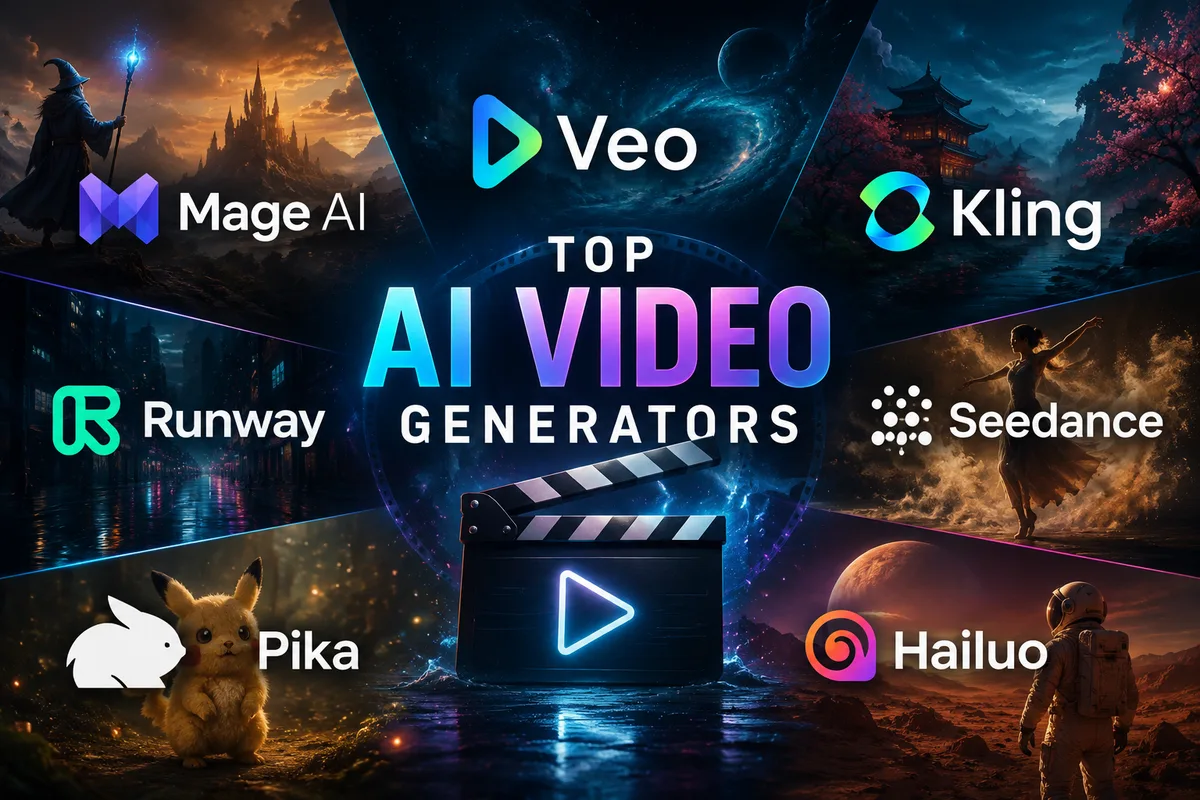
Mage: unlimited flat-rate video generation in the browser, all-in-one workspace with character consistency, from free to $200/mo.
Kling 3.0: generous free tier, up to 3-minute clips, multi-shot consistency, and the most convincing human motion currently available.
Google Veo 3.1: native 4K, spatial audio, and the best lip sync in the market. Access is limited to the US and through Gemini Advanced.
Runway Gen-4.5: the only tool with a proper editing workspace. Motion Brush, inpainting, 4K upscaling, and multi-shot scene continuity in one platform.
Seedance 2.0: accepts up to 12 reference files simultaneously (images, video, audio). The most controllable model available, but global API access is delayed.
Pika 2.5: quick to learn, fast to generate, and its Pikaffects suite is genuinely fun for social media content.
Wan 2.x: open source, Apache 2.0, runs locally with a 24GB+ GPU. No restrictions, no watermarks, and improving fast.
We Tested Them All. Here Is What We Actually Think.
I have spent a lot of time this year running the same prompts through every major AI video tool I could get my hands on. A woman walking through a rainy Tokyo street. A basketball player taking a shot with realistic physics. A talking head presenting to camera. A product rotating on a pedestal. Nothing exotic, exactly the kinds of clips content creators, marketers, and developers actually need.
The results were sometimes stunning, sometimes embarrassing, and occasionally both in the same three-second clip.
What I found is that the "best AI video generator" question is almost meaningless without context. Runway will frustrate you if you just want quick social media content. Kling will disappoint you if you need a 10-second clip with synchronized dialogue. Veo 3.1 will blow your mind and then remind you it is only available in the US through Gemini Advanced.
So this is not a ranking list. It is a guide to figuring out which tool belongs in your specific workflow. I will give you my honest take on each one, including what genuinely impressed me and what I wished worked better.
The Quick Decision Framework
Before diving into each tool, here is the question map I use:
- Need unlimited volume at flat-rate pricing with character consistency? Start with Mage
- Need realistic human motion and long clips? Start with Kling 3.0
- Need native audio with your video, no post-production? Look at Veo 3.1 or Seedance 2.0
- Building a professional editing workflow? Runway Gen-4.5 is your answer
- Want the absolute benchmark leader right now? Seedance 2.0, with caveats on availability
- Making social media content quickly? Pika 2.5 or the Kling free tier
- Need something free, no strings attached? Wan, self-hosted
- Want to compare outputs before committing? Our AI tools directory covers pricing and specs side by side
 A frame from my standardized "Rainy Tokyo" test prompt, which I ran across all models to compare reflection physics and lighting consistency.
1. Mage: Best Overall Value - Unlimited Generation, All in One Place
Mage has been a fixture of the AI image and video scene since the early Stable Diffusion days, and it's the platform I reach for when I'm producing work rather than testing it. It takes the top spot for one reason the rest of this guide keeps running into: on Mage, you stop counting.
Nearly every other tool here meters you somehow. Veo gates access behind a $20 to $250 tier. Seedance counts credits. Even Kling's generous free tier is a daily allowance you watch tick down. Mage's paid plans are flat-rate and unlimited, full stop. I ran my rainy Tokyo prompt a dozen times dialing in the camera move and never thought about cost once. On a metered tool, that session is a budgeting decision.
The second thing that stood out is that Mage is genuinely all-in-one, and all of it runs in the browser. No install, no ComfyUI, no GPU rental. Text-to-video, image-to-video, motion control, and a full image generator live in the same workspace, which matters more than it sounds. Most of my real projects are not "generate one clip." They are: make a still I like, animate it, keep the same character across five more shots. Doing that across three separate tools is where afternoons disappear. Mage keeps it in one tab.
That character system is the sleeper feature. You build a character from a single reference image on the image side, save it, and reuse that identity across image and video generations. This is the consistency problem Runway is known for solving, except here it carries from your stills straight into motion, and you are not paying per attempt to get it right. For anyone building a recurring character or an AI presenter that has to look like the same person in shot after shot, this is the workflow.
Under the hood Mage runs models people already trust, like Wan and Veo 3.1 Lite, alongside its own video models, so you are choosing models inside one account rather than shopping platforms. And the on-ramp is real: there's a free tier to start, with a signup bonus of gems and limited features, which, in a year where free tiers are quietly disappearing, is worth saying out loud.
What I actually struggled with: Genuinely not much got in the way. The one thing worth knowing up front is that clips generate in the 5 to 10 second range, so a longer sequence gets built from a few segments stitched together in the storyboard rather than shot in one continuous take. It sounds like a limitation and mostly isn't; for the multi-shot, character-driven work I do, building in beats is closer to how I'd edit anyway. The only real planning note is that 1080p and the longest durations live on the top tier, so if you need full HD, that's Max.
The bottom line: If you produce at any real volume, whether that's a social calendar, a character-driven series, or a marketing pipeline, Mage is the tool where the economics and the workflow stop fighting you. Start free in the browser, and if it clicks, $30/mo buys unlimited video with reusable characters, which is a different value proposition from anything else on this list. For most creators producing regularly rather than chasing a single showcase clip, this is where I'd start.
Pricing: Free tier (limited features, 300-gem signup bonus). Basic $10/mo (unlimited image), Pro $30/mo (unlimited video), Pro Plus $60/mo, Max $200/mo (up to 1080p, 10-second clips).
| Tool | Best For | Free Tier | Native Audio | Max Duration | Rough Cost |
|---|---|---|---|---|---|
| Mage | Unlimited volume, all-in-one, characters | Yes (free to start) | Select models (beta) | ~10s/clip | Free or $10-200/mo |
2. Google Veo 3.1: Best Cinematic Quality
I did not expect to be this impressed by Google's video model. After years of Google products that were technically excellent but somehow soulless, Veo 3.1 is genuinely different.
The native audio generation is what stands out. Most AI video tools output a silent clip you have to dub over in post. Veo 3.1 generates synchronized dialogue, ambient sound, and music as part of the same generation process. The spatial audio is particularly good. Sounds move through the stereo field realistically, reverb changes between indoor and outdoor environments, and it all happens at 48kHz. No other mainstream AI video model does this at the same quality level right now.
The visual output at 4K is stunning for specific use cases. Skin textures, fabric movement, and water reflections hold up under close inspection in a way that most models do not. I ran my rainy Tokyo street prompt through Veo 3.1 and the wet pavement reflections were genuinely believable, the kind of detail that usually requires hours of VFX work.
What I actually struggled with: Access. Veo 3.1 is US-only through Google's Flow app and Gemini Advanced. When I tested this with a product demo for a Russian-based client in March, we had to rely on a complex VPN setup that added significant latency to the generation process, making it difficult to iterate quickly.
The bottom line: If you need the highest cinematic quality output available right now, with native audio, and you can get access, Veo 3.1 is the tool. For everyone else, it is worth knowing it exists and benchmarking against it.
Pricing: Gemini Advanced $20/month (limited); Google AI Ultra $249.99/month. API access via Vertex AI and third-party aggregators.
3. Kling 3.0: The Best Overall for Most Creators
I keep coming back to Kling. Not because it tops every benchmark (it does not) but because it solves more of my actual problems than anything else I have tested.
The human motion physics are genuinely excellent. I ran the basketball shot prompt through five different tools and Kling was the only one that got the ball's rebound physics right without making the player look like a marionette. Hand and finger accuracy, which has historically been AI video's biggest weakness, is noticeably better here than in the competition.
The free tier is worth mentioning specifically because it is actually useful, not a bait-and-switch. 66 daily free credits, no credit card required, refreshing every 24 hours. That is enough for one or two real test generations per day. Most free tiers in this space are either watermarked at full resolution, capped at a resolution so low it is useless for evaluation, or so limited in credits that you burn through them in ten minutes. Kling's is none of those things.
The 3-minute clip duration is a genuine differentiator. No other major non-open-source tool comes close. If you need to make a product walkthrough, a training video, or a short film sequence, you are not constantly stitching together 8-second clips.
What I actually struggled with: Multi-shot audio can be muffled. I tried to use Kling for a 2-minute "day in the life" montage for a personal project, and the background noise in the kitchen scene was so distorted I had to strip it and use a separate foley library. It's a reminder that while native audio is great, it's not always production-ready.
The bottom line: If you are a solo creator, a small team, or a developer testing AI video pipelines for the first time, Kling 3.0 is probably your starting point. The free tier makes the entry cost zero and the ceiling is high enough that you might never need to switch.
Pricing: Free tier (66 daily credits, no card required). Paid from approximately $10/month. API at $0.075-$0.10/second.
4. Runway Gen-4.5: The Professional's Editing Environment
Runway is a different kind of product than everything else on this list. It is not just a video generator. It is a video production environment that happens to have generation built in.
Motion Brush lets you paint motion onto specific parts of a scene, which is something no other mainstream tool offers. Inpainting lets you remove or replace objects in existing footage. 4K upscaling is integrated. Scene expansion extends environments beyond the original frame. You can do frame interpolation, style transfer between clips, and multi-shot character continuity, keeping the same character visually consistent across several different generated scenes.
No other tool on this list offers that combination of features in a single workspace. If you are a filmmaker, a video editor who wants to incorporate AI into an existing workflow, or an agency handling client work that requires precise creative control, Runway is the answer.
What I actually struggled with: The learning curve. Unlike Kling or Pika, Runway is a tool you need to learn. I spent about four hours last week just mastering the Motion Brush settings for a 5-second clip of a steaming coffee cup. It was worth it for the control, but if you're in a rush, you'll find it frustrating.
The bottom line: For creators who blend AI with real footage or need multi-clip character consistency, Runway is the only tool in this class right now. For pure text-to-video with no editing workflow, you will probably be happier with something simpler.
Pricing: Free (watermarked). Standard $15/month, Pro $35/month, Unlimited $76/month. API available.
5. Seedance 2.0: The Benchmark Leader With Caveats
Let me be upfront about something: Seedance 2.0 tops the Artificial Analysis Video Arena leaderboard as of April 2026, with an Elo score of 1,269 for text-to-video and 1,351 for image-to-video. By composite benchmarks, it is currently the best AI video model in the world.
The architecture is genuinely impressive. You can feed it up to 12 reference files simultaneously, images, video clips, and audio files together. It will replicate camera movements from a reference video, maintain character identity across frames, sync audio at the phoneme level in 8 languages, and generate multi-shot sequences from a single prompt. The motion realism for complex scenes is ahead of Kling and Veo in side-by-side testing.
But the global API rollout is delayed, and this is a significant caveat. If you are a developer building production features, you cannot reliably integrate Seedance 2.0 right now. ByteDance paused the broad API launch following Hollywood IP litigation (Disney, Netflix, Paramount, and Sony sent cease-and-desist letters after viral deepfake clips circulated). The content filters have gotten very aggressive as a result: realistic human faces are blocked as reference images, which defeats one of the tool's core value propositions for many creators.
For individual creators, you can access Seedance 2.0 through CapCut or Dreamina (dreamina.capcut.com) today. The free tier during the current rollout period is a real opportunity to form your own opinion about the output quality before everyone else does.
What I actually struggled with: The censorship is genuinely frustrating. Trying to generate a scene with a realistic human protagonist and hitting a filter wall is a workflow-breaking experience. The generation times are slower than competitors, between 60-120 seconds for a 5-second clip at standard quality. And the effective pricing at higher resolutions is higher than it looks on the surface.
The bottom line: If you are a creator who can work within the content restrictions, the output quality is stunning. If you are a developer, wait for the API to stabilize before building on it. Track this one closely. When the API opens up properly, it will be the strongest option for a lot of workflows.
Pricing: Consumer access through CapCut/Dreamina from approximately $20/month on paid tiers. API pricing TBD pending full rollout.
6. Pika 2.5: Best for Social Media Effects
Pika has found its lane and it is a good one. Where most AI video tools compete on cinematic realism, Pika leans into creative, physics-defying effects: crush, melt, inflate, explode. The Pikaffects suite is genuinely fun in a way that most AI tools are not, and it produces the kind of scroll-stopping visual treatments that perform well on TikTok and Instagram Reels.
The mobile-first interface is accessible. You do not need to spend 30 minutes learning the tool before you get a usable result. Generation is fast, around 42 seconds per clip, which matters when you are iterating rapidly on social content ideas.
I used it for a product reveal sequence and the inflate-then-explode effect sequence was legitimately impressive. Could I have achieved similar results in After Effects? Yes, with six hours of work. In Pika, it took four prompts and about eight minutes.
What I actually struggled with: Pika is not a photorealism tool. If you need output that could pass as real footage, look elsewhere. And the content variety is somewhat narrow. The effects mode is where it excels, but standard text-to-realistic-scene outputs are behind Kling and Veo.
The bottom line: If your primary use case is social media content where creative visual impact matters more than physical realism, Pika 2.5 is worth keeping in your toolkit. At $8/month, it is also one of the most affordable paid options.
Pricing: Free tier available. Basic $8/month, Standard $16/month, Unlimited $40/month.
7. Hailuo 2.3 (MiniMax): Honest Assessment of the Budget Option
Hailuo gets included on a lot of "best AI video" lists because of its price point and because MiniMax has a strong brand in the developer community from its M2 text model work. The honest assessment: for video, it is a budget option that delivers budget-level results.
The output quality is a step behind Kling, Veo, and Runway on motion physics and character realism. Generation is fast, which is useful when you need volume over quality. The $9.99/month plan with 1,000 credits gives you significant generation capacity. The 6-second maximum duration on the standard plan is a real constraint.
Where I find it genuinely useful is as a backup for high-volume workflows where some clips are background B-roll that will be seen for less than two seconds. In that context, the quality is perfectly adequate and the cost savings are real.
The bottom line: If you need high-volume generation at the lowest possible cost and can accept results that are below the current quality frontier, Hailuo is a reasonable choice. For anything client-facing or quality-sensitive, you will likely be disappointed.
Pricing: Free tier available. Paid from $9.99/month.
8. Wan (Open Source): For Developers Who Want Full Control
Wan is the open-source option that is easy to overlook because it requires actual setup work. But for teams with data privacy requirements, developers who want to run generation entirely locally, or anyone who objects philosophically to sending their creative work to a cloud service and having it used as training data, Wan is worth knowing about.
It is Apache 2.0 licensed. You download the weights, run them on your own hardware, and your outputs belong to you with no restrictions and no watermarks. The quality is competitive with mid-tier commercial options, not the top of the market, but genuine enough to be useful for production work in many contexts.
You need a GPU with at least 24GB VRAM for reasonable performance. That means an RTX 3090 or 4090 as a minimum. The setup is not trivial if you have never deployed a local model before, but the documentation is solid and the community on Hugging Face and Reddit is helpful.
API access through aggregators like fal.ai runs around $0.05/second, which makes it the cheapest mainstream option by a significant margin for pay-as-you-go usage.
The bottom line: If you have the hardware and the technical comfort level, Wan is the most cost-effective option at scale and the only one that fully respects your data sovereignty. For teams without those resources, the commercial options are more practical.
Pricing: Free to self-host (GPU required). API via fal.ai from $0.05/second.
The Honest Comparison Table
Here is where things actually stand as of April 2026, based on testing and aggregated benchmark data:
| Tool | Best For | Free Tier | Native Audio | Max Duration | Rough Cost |
|---|---|---|---|---|---|
| Mage | Unlimited volume, all-in-one, characters | Yes (free to start) | Select models (beta) | ~10s/clip | Free or $10-200/mo |
| Veo 3.1 | Cinematic quality, audio | No | Yes (best) | ~10s | $20-250/mo |
| Kling 3.0 | Human motion, long clips | Yes (generous) | Yes (muffled) | 3 min | From ~$10/mo |
| Runway Gen-4.5 | Professional editing | Watermarked | No | ~10s | $15-76/mo |
| Seedance 2.0 | Multimodal control, benchmarks | Yes (limited access) | Yes | 15-20s | ~$20/mo |
| Pika 2.5 | Social media effects | Yes | Limited | ~8s | From $8/mo |
| Hailuo 2.3 | Budget volume generation | Yes | No | 6s | $9.99/mo |
| Wan | Local/private deployment | N/A (self-hosted) | No | 10s+ | Free or $0.05/s |
Tools We Did Not Crown (But Watch)
Two names keep coming up in reader questions. Luma Dream Machine still produces some of the smoothest camera moves in the field and remains a fine choice if you prefer its simpler prompt style, but its free tier and clip length trail this year's leaders. We will revisit both as they ship new versions.
A Few Things the Benchmark Charts Do Not Tell You
After all this testing, three things stand out that do not show up in Elo scores or benchmark tables.
Platform risk is real. Sora proved this in early 2026 when OpenAI announced it would discontinue the standalone Sora web experience and shut down the API by September 2026. Thousands of creators and developers had built workflows around it. If your production pipeline depends on a single AI video tool, you are one product decision away from rebuilding everything. The most resilient approach is using tools from companies where video is strategically central. Runway's entire business is video; Veo is core to Google's AI strategy. Keep your source assets and prompts portable.
The gap between top-tier tools is smaller than it was. Six months ago, there was a meaningful quality gap between the frontier models and the mid-tier. That gap has compressed. If you are using Kling 3.0 instead of Veo 3.1 for most use cases, your audience will not notice. The real differentiation is now in specific capabilities: native audio, multi-shot continuity, duration limits, not raw visual quality on typical prompts.
Prompting skill matters more than tool selection. I ran the same prompt through Veo 3.1 and got mediocre results, then refined the prompt and got something genuinely cinematic. The best result I got from Hailuo was with a carefully constructed image-to-video workflow that compensated for its weaknesses. The tool matters, but the operator matters more. Spend time learning prompt engineering for video before you upgrade your subscription tier.
What to Try First
If you are just starting out and want to get hands-on without spending money: sign up for Kling's free tier and run a few real clips from actual prompts you care about. Daily credits refresh automatically, no card required, and the quality is high enough to form genuine opinions.
If you produce regularly and want unlimited generation without per-clip costs: try Mage's free tier in the browser. The flat-rate model means you can iterate freely, and the character system is a genuine time-saver for multi-shot projects.
If you are ready to build a workflow: start with the AI tools comparison page on this site, which has pricing and feature breakdowns for every tool covered here, and identify the two or three that match your actual use cases. Then test them with identical prompts before committing to any subscription.
The AI video generation space is moving faster right now than at any point in its history. What leads the benchmarks this month may not lead them in sixty days. The right strategy is staying flexible, keeping your source assets portable, and not over-investing in any single platform until the market settles.
The RenovateQR Verdict
The state of AI video in April 2026 is one of rapid specialization. We no longer have one "best" tool; we have a toolkit.
If you produce at any real volume - a social calendar, a character-driven series, or a marketing pipeline - Mage is the tool where the economics and the workflow stop fighting you. Flat-rate unlimited generation means you stop budgeting per clip, and the all-in-one browser workspace keeps character-driven projects in one tab. If you are a social media creator looking for impact, Kling 3.0 and Pika 2.5 offer the most fun and the highest viral potential for the lowest effort. If you are a filmmaker or a professional motion designer, Runway Gen-4.5 is the only platform that provides the granular control needed for a real production pipeline. For those who need absolute top-tier cinematic visuals and are not afraid of restrictive access, Veo 3.1 remains the quality benchmark.
My recommendation for most people reading this: Start with Kling. Its free tier is the most generous in the market, its motion physics are the most reliable, and it allows you to test the limits of what is possible without a significant upfront investment. If you find yourself producing regularly and want to stop counting credits, Mage is the natural next step.
Our Research Methodology
This guide is based on hands-on testing conducted throughout Q1 and early Q2 2026 using a consistent set of test prompts across all platforms:
- Identical prompts across tools for direct comparison of motion physics, character realism, and prompt adherence
- Benchmark cross-referencing against Artificial Analysis Video Arena, BridgeBench, and community evaluation data
- Pricing verification from official platform pages as of April 2026
- Workflow testing through real content creation scenarios, not just showcase prompts
Pricing and features change frequently in this space. Always verify current details directly with each platform before subscribing.
Sources & References
- Artificial Analysis Video Arena: Independent video model benchmarks and Elo rankings
- Google Veo 3.1: Official Google DeepMind model page
- Kling AI: Official Kling product by Kuaishou
- Runway Gen-4.5: Official Runway platform
- Seedance 2.0: ByteDance video generation model
- Pika 2.5: Official Pika platform
- Hailuo AI (MiniMax): Official MiniMax video tool
- Wan by Alibaba: Open source video generation model
- fal.ai Video API: API aggregator with per-second pricing
Last updated: April 2026. AI video generation tools update rapidly - Mage, Kling, Veo, and others on this list may have changed capabilities, pricing, or availability since publication. For the latest model comparisons and pricing, visit our AI tools directory.
Frequently Asked Questions
What is the best AI video generator in 2026?
It depends on what you are making. For creators who produce at volume and want flat-rate unlimited generation without per-clip costs, Mage is the best overall value with its all-in-one browser workspace and character consistency system. For most other creators, Kling 3.0 offers the best combination of quality, price, and free tier generosity. For cinematic professional work, Runway Gen-4.5 is the most complete platform. For pure visual quality with native audio, Google Veo 3.1 leads the field. Seedance 2.0 from ByteDance tops the benchmarks on motion realism but its global API access is still rolling out as of April 2026.
Which AI video generators have native audio?
As of April 2026, only a handful of models generate synchronized audio natively alongside video: Google Veo 3.1 (best audio, including spatial sound and dialogue), Seedance 2.0 (phoneme-level lip sync in 8 languages), and Kling 3.0 (multi-character audio, though can be muffled). Most others, including Runway and Pika, output silent video that requires separate audio work.
Are there free AI video generators worth using?
Yes. Kling 3.0 gives you daily free credits that refresh without a credit card, which is enough for 1-2 meaningful generations per day. Pika 2.5 and Hailuo also offer usable free tiers. If you have a GPU with 24GB+ VRAM, Wan is completely free to self-host with no watermarks and no usage limits.
Can AI video generators create videos longer than 10 seconds?
Yes, though options are limited. Kling 3.0 supports clips up to 3 minutes, which is the longest of any major non-open-source tool. Seedance 2.0 goes up to 15-20 seconds. Runway, Veo, and most others cap out at 8-10 seconds per generation, requiring you to stitch clips together for longer content.
Which AI video tool is best for social media content?
Pika 2.5 for creative, effects-heavy content on TikTok and Instagram Reels. Kling 3.0 for realistic short clips with good character consistency. Hailuo for budget-friendly, fast output when you need volume over maximum quality. The most successful social media creators in 2026 typically rotate between two or three tools depending on the type of clip.
Is Sora still available in 2026?
Sora 2 is still available, but OpenAI discontinued the standalone Sora web and app experience in early 2026. You now access it through ChatGPT Plus ($20/month, limited credits) or ChatGPT Pro ($200/month). Note: OpenAI announced in April 2026 that the Sora API will be discontinued by September 2026, which is a significant platform risk for anyone building on it.
What is the cheapest AI video generator?
For API access, LTX-2 (open source via fal.ai) costs around $0.04 per second. Wan 2.x via API runs about $0.05/second. For subscriptions, Mage stands out with flat-rate unlimited generation starting at $10/mo for images and $30/mo for unlimited video - no per-clip costs. Hailuo at $9.99/month and Kling at around $10/month also offer good value on paid plans. If you have the GPU, Wan self-hosted is free indefinitely.
Renovate QR Newsletter
Stay sharp on AI & tech
Our best reviews, comparisons, and guides — delivered weekly. No noise, no spam.